|
Resource Tool
|
Local Image
|
Insert local images.
|
|
Image Search
|
Insert images obtained from search.
|
|
YouTube Videos
|
Insert YouTube videos through search.
|
|
Insert Links
|
Insert hyperlinks.
|
|
Vectograph
|
Insert common vectograph.
|
|
Template Library
|
Use the templates in the template library for custom projects.
|
|
Shape Tool
|
Shape Type
|
Multiple shapes are optional.
|
|
Shape Category
|
Hand-drawn shapes are recognized as standard shapes.
|
|
Fill
|
Use fill colors.
|
|
Border
|
Edit the color, thickness and type of line of borders.
|
|
Transparency
|
Control the transparency of shapes.
|
|
Text Tool
|
Typeface
|
For fonts, you can adjust their style, text color, background color and size. You can also use bold, italics, underline and strikeout.
|
|
Layout
|
Align, center, and indent
|
|
Symbol
|
Enter symbols and numbers in lists.
|
|
Mathematical Formula
|
Enter numbers, mathematical formulas, functions, fractions, and Greek letters.
|
|
Text Box
|
For text boxes, you can edit their width, transparency level, fill color and the color of the border.
|
|
Note
|
Insert notes.
|
|
Painting Tool
|
Brush
|
Select either the pen or highlighter, modify the color and thickness of the stroke and set the drawing method.
|
|
Toolbox
|
Use protractors, rulers and compasses to assist with drawing.
|
|
Paint Bucket
|
Select the fill background color.
|
|
Clear
|
Clear the canvas with one click.
|
|
Whiteboard Function Tool
|
Search
|
Search for whiteboard content.
|
|
Flow Chart
|
Insert editable flowcharts.
|
|
Mind Map
|
Insert editable mind maps.
|
|
Table
|
Insert tables.
|
|
Edit
|
Lock the canvas.
|
|
Sharing and Cooperation
|
Move, zoom in and out, and rotate the canvas.
|
|
Save
|
Flip the canvas.
|
|
Activity Tool
|
Chat
|
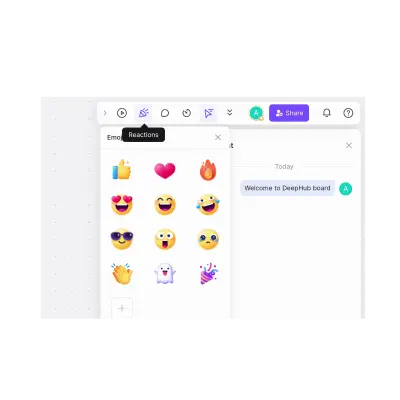
Meeting members can hold discussions in a separate chat frame.
|
|
Review
|
Add comments.
|
|
Outline
|
Edit meeting outlines on the whiteboard.
|
|
Time
|
Built-in stopwatch for timing.
|











Отзывы
Отзывов пока нет.